MagicLoupe

Windows 화면 실시간 측정 유틸리티 - 매직 루페 Real-time screen measurement utility for Windows

MagicLoupe MagicLoupe
MagicLoupe

매직 루페는MagicLoupe is

Windows 화면의 모든 것을 정밀하게 확인하고 실시간으로 측정 및 캡처해 주는 생산성 도구입니다. A productivity tool that inspects everything on your Windows screen precisely, and measures and captures it in real time.

  • 웹/앱 UI 등 데스크톱 환경의 디자인에서 간격, 크기, 색상 검수 Review gaps, sizes and colors in web and app UIs and other desktop designs
  • AI 대화에 측정된 화면을 바로 붙여 넣어 빠르고 정확한 피드백 전달 및 수정 요청 Paste the measured screen straight into an AI chat for fast, precise feedback and change requests
  • 다양한 편의 기능으로 개발/디자인 작업의 효율성 증대 Work faster on development and design with a range of convenience features

주요 특징Key features
실시간 확대Live magnification

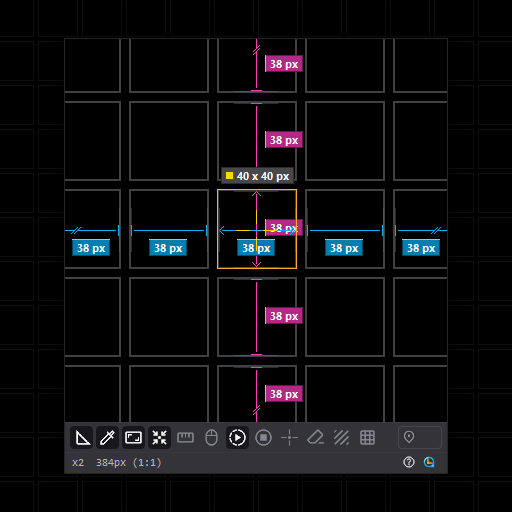
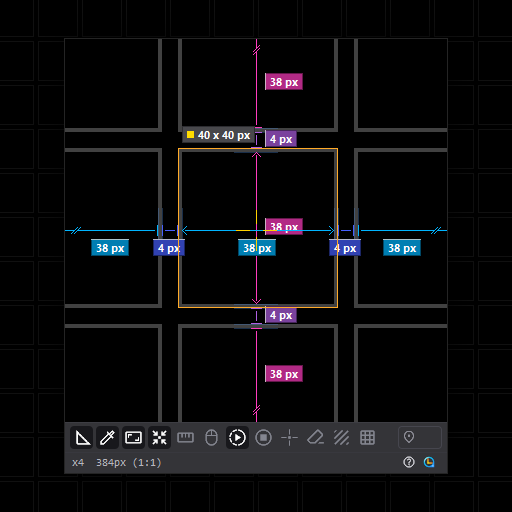
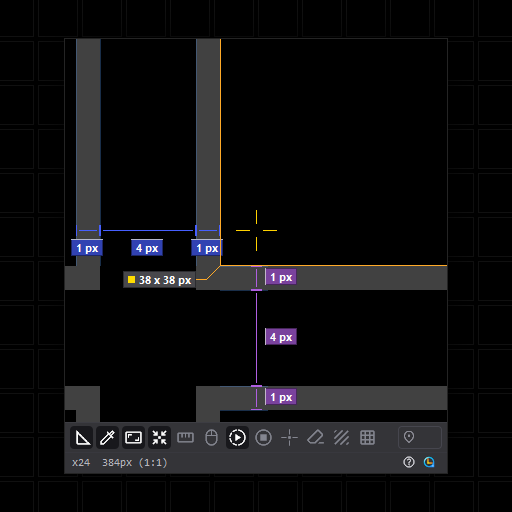
화면을 실시간으로 최대 24배까지 보간 없이 확대 Magnifies the screen live, up to 24x, with no smoothing
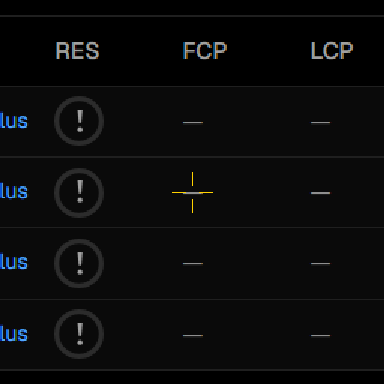
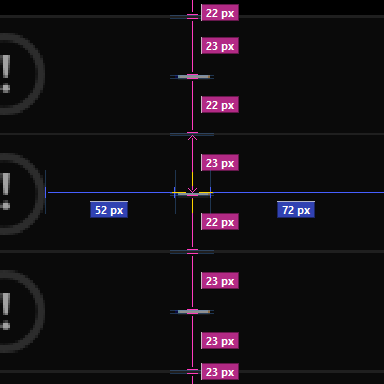
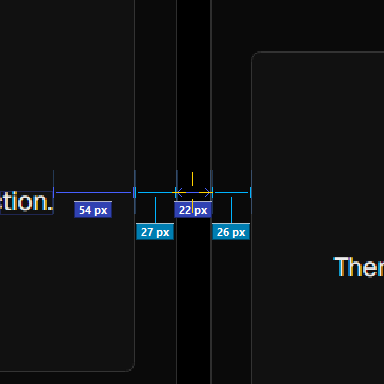
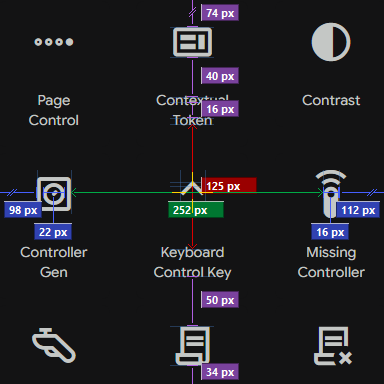
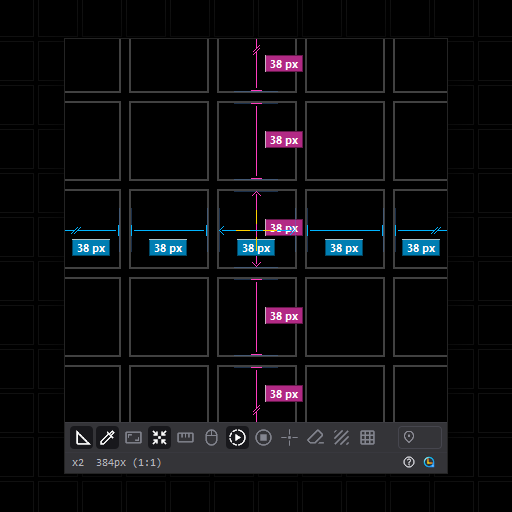
실시간 자동 간격 측정Real-time automatic gap measurement

렌즈 안 요소 사이의 간격을 자동으로 찾아 픽셀 단위로 표시 Finds the gaps between elements in the lens and labels them in pixels
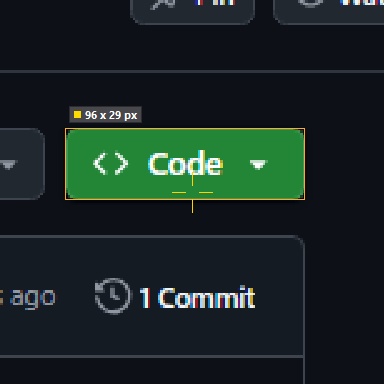
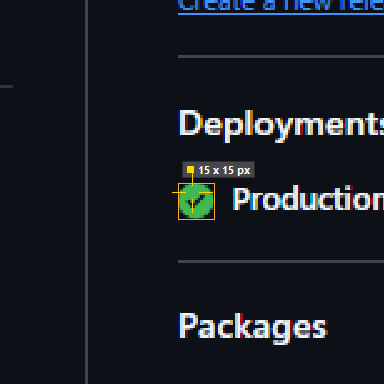
실시간 자동 크기 측정Real-time automatic size measurement

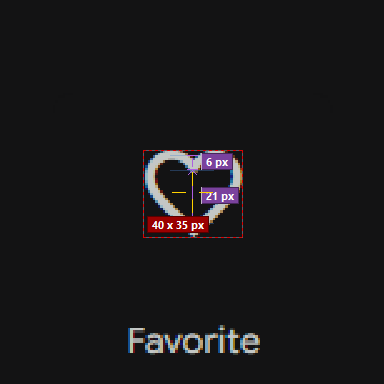
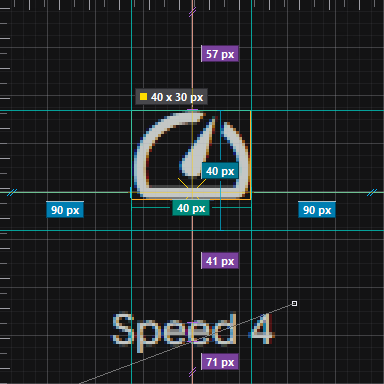
십자선이 놓인 요소의 가로·세로 크기를 측정 Measures the width and height of the element under the crosshair
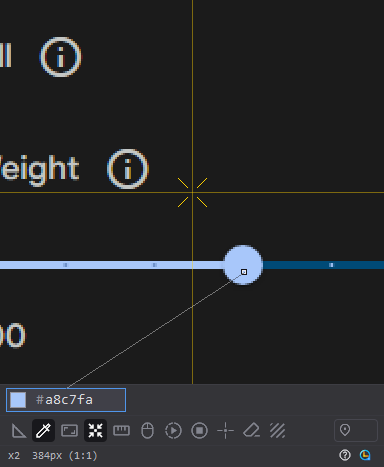
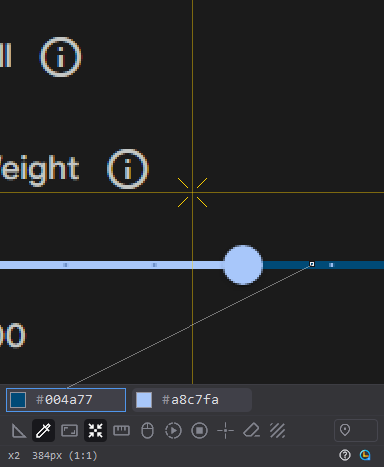
컬러 피커Color picker

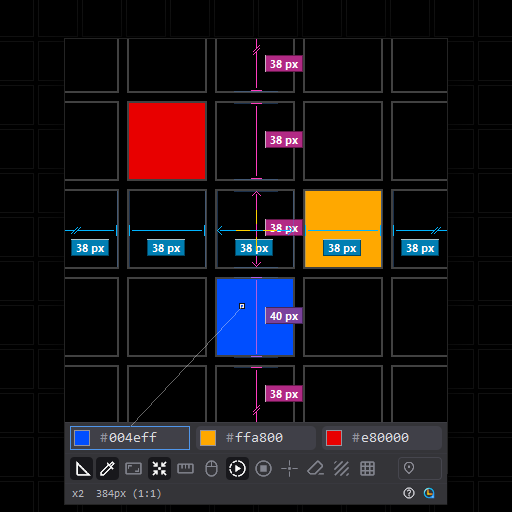
렌즈를 클릭해 색을 추출, RGB, #코드, 코드값 중 원하는 형식으로 클립보드에 복사 Click the lens to pick a color, then copy it as RGB, a # code or the bare code
측정/제외 영역 지정Measure and exclude areas

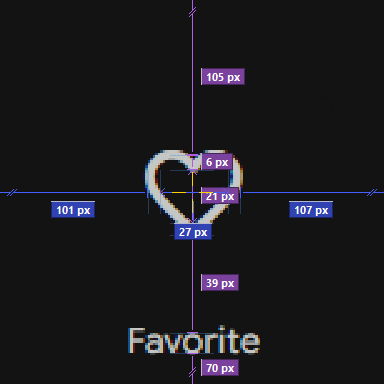
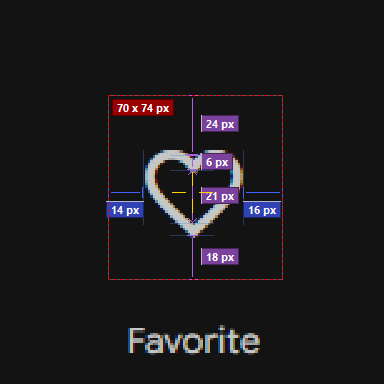
Shift 드래그로 측정 범위를, Alt 드래그로 측정에서 제외할 영역을 지정 Shift-drag to set the measuring area, Alt-drag to leave an area out
사용자 지정 마스크Custom masks

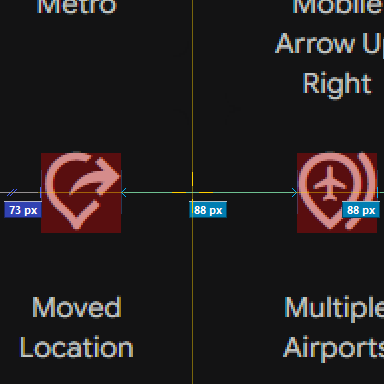
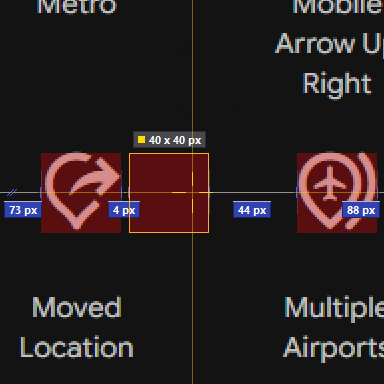
원하는 형태로 마스크를 그리고 마스크 간의 간격 및 크기, 둘러싼 공간을 지정하고 측정 Draw masks in any shape, then set and measure the gaps and sizes between them and the space around them
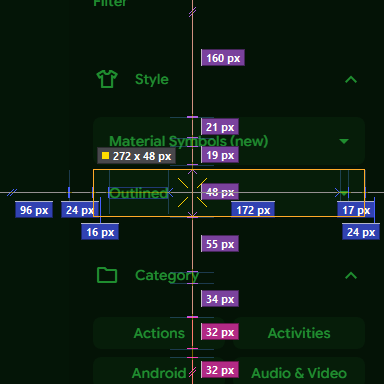
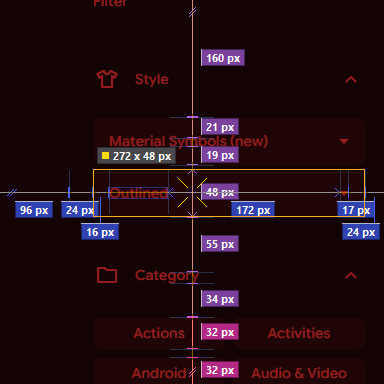
오버레이 필터Overlay filters

그린, 레드, 모노, 다크, 라이트 필터를 적용, 복잡한 화면에서도 측정값을 쉽게 파악 가능 Apply a green, red, mono, dark or light filter to read measurements easily on a busy screen
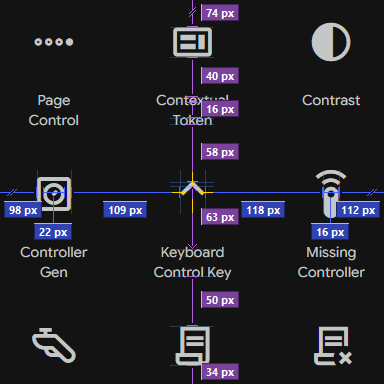
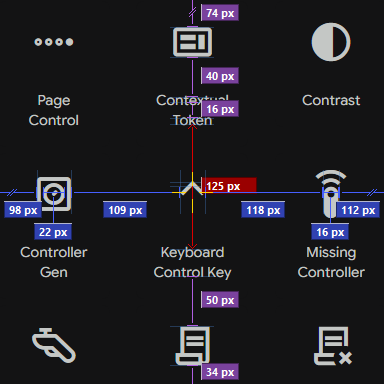
간격 합산Gap sum

간격을 각각 클릭으로 합쳐 볼 수 있음 Click gaps one by one to add them together
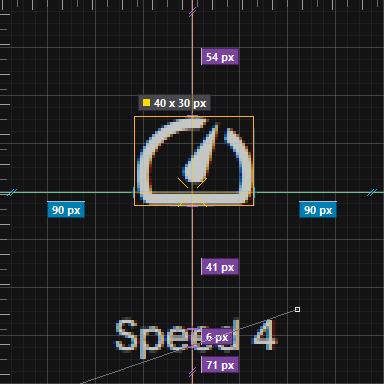
눈금 자 가이드라인, 그리드Ruler guides and grid

눈금 자에서 가이드라인을 꺼내 요소에 맞추고 사용, 그리드 표시 및 스냅/해제 Pull guides out of the rulers and line them up with elements, show the grid and snap to it or not

적용 기술Technology

  • 투영 프로파일 기반 실시간 경계 검출 엔진, 매 프레임 가로·세로 전 구간 분석 Real-time edge detection engine built on projection profiles, analysing every horizontal and vertical span each frame
  • 평균 단차(Mean Step)와 픽셀 변화량(Edge Energy), 두 가지 경계 판정 알고리즘 탑재 Two edge detection algorithms on board: Mean Step and Edge Energy
  • 경계 단차 임계값(tm)과 활동량 임계값(ta)을 실측 화면 데이터셋 회귀 검증으로 최적화 Edge step (tm) and activity (ta) thresholds tuned by regression testing against a dataset of real screens
  • OCR 텍스트 인식, 프레임 간 모션 감지, 텍스처 분석을 결합한 노이즈 영역 자동 제외 Automatic noise exclusion combining OCR text recognition, inter-frame motion detection and texture analysis
  • vblank 동기 캡처 파이프라인, 타이머 없는 이벤트 구동 방식으로 대기 시 CPU 사용 없음 vblank-synchronised capture pipeline, event-driven with no timers and no CPU use while idle
  • 측정 오버레이와 분리된 원본 프레임 버퍼에서 픽셀 단위 색상 샘플링 Pixel-exact color sampling from a raw frame buffer kept apart from the measurement overlay
  • Per-Monitor V2 DPI 대응, 물리 픽셀 좌표계 기반 다중 모니터 정밀 측정 Per-Monitor V2 DPI aware, with precise multi-monitor measurement in physical pixel coordinates

세부 기능All features

간격 측정Gap measurement렌즈 안 요소 사이의 간격을 자동으로 측정Measures the gaps between elements in the lens automatically
크기 측정Size measurement십자선이 위치한 요소의 크기 측정Measures the element under the crosshair
크기 측정 강조Size emphasis크기 측정 상자가 잠시 유지되면 바깥 영역을 어둡게 표시Darkens the lens outside the size box once it holds still
측정 상자 자동 맞춤Auto-fit measure box측정 상자로 영역을 지정하면 안쪽 요소의 크기에 자동 맞춤Snaps the measure box you draw to the element inside
측정 축Measure axis가로, 세로, 전체 중 측정 방향 선택Measure horizontally, vertically or both
직선 측정 보조Line measuring aid십자선이 위치한 굵기 1~2px의 선을 측정Measures a line one or two pixels thick under the crosshair
안티앨리어싱 무시Ignore antialiasing간격 양 끝의 번진 픽셀을 건너뛰고 측정Measures past the blurred pixels at each end of a gap

현재 위치만 표시Current position only십자선이 있는 구간의 선과 측정값만 표시Shows only the line and number for the span under the crosshair
전체 십자선Full crosshair십자선을 렌즈 전체로 확장Extends the crosshair across the whole lens
십자선 모양Crosshair shape기본, 조합, 대각선 중 십자선 모양 선택Plain, combined or diagonal crosshair
눈금 자 표시Rulers렌즈 가장자리에 데스크톱 좌표 눈금 자 표시Shows rulers in desktop coordinates along the lens edges
방향 구분 강조Axis direction marks가로 측정은 위쪽 변, 세로 측정은 왼쪽 변을 강조Marks horizontal measurements along the top edge and vertical ones along the left
측정 표시를 점으로Dotted marks경계 표시를 선 대신 점으로 표시Draws edge marks as dots instead of lines
측정 표시 단색Monochrome marks간격, 크기 측정 표시를 배경 밝기에 따라 달라지는 회색으로 표시Draws gap and size marks in a grey that follows the background
px 단위 표기px units측정값 뒤에 px 단위 표시Adds px after each measurement
소수 라벨 강조Highlight the odd value가장 드물게 나온 값을 강조, 비활성화 시 가장 많이 나온 값 강조Highlights the least common value, or the most repeated one when off
경계 표시 길이Edge mark length경계 표시선의 길이 설정Sets how long the edge marks are
라벨 최소 표시 크기Smallest label렌즈에 확대되어 보이는 길이가 이 값보다 짧은 구간에는 측정값을 표시하지 않음Spans shorter than this as magnified on the lens get no number
폰트 크기Font size측정값 숫자의 글자 크기 설정Sets the size of the measurement numbers
렌즈 도구 표시Lens tools렌즈 우측 하단에 측정 상자, 제외 영역, 마스크, 캡처 도구를 표시Shows the measure box, exclude area, mask and capture tools at the lens corner

그리드Grid렌즈 또는 화면 기준으로 그리드 표시, 간격은 배율에 따라 자동 조정Shows a grid anchored to the lens or to the screen, spaced to suit the zoom
그리드에 스냅Snap to grid십자선 위치를 그리드에 스냅Snaps the crosshair to the grid
마스크 색Mask color마스크를 칠할 색 선택, 컬러 피커로 추출한 색도 사용 가능Choose the mask fill color, including a color picked from the screen
마스크 농도Mask opacity렌즈에 보이는 마스크 색의 농도 설정Sets how strongly the mask color shows on the lens
영역/마스크 전체 삭제Clear areas and masks그려 둔 측정 상자, 제외 영역, 마스크를 한 번에 삭제Clears every measure box, exclude area and mask at once

렌즈 크기Lens size렌즈 크기를 256~768px 사이에서 64px 단위로 조정Sizes the lens from 256 to 768 px in steps of 64
루페 비율Loupe aspect ratio루페의 가로세로 비율 선택Choose the loupe window's aspect ratio
필터Filter렌즈에 그린, 레드, 모노, 다크, 라이트 색 필터 적용Applies a green, red, mono, dark or light filter to the lens
필터 농도Filter strength색 필터의 적용 강도 설정Sets how strongly the color filter is applied
커서 따라가기Follow cursor루페가 마우스 커서를 따라 이동The loupe follows the mouse cursor
자동 감속Auto slow-down높은 배율에서 이동 속도 자동 감속Slows the loupe down at high zoom
이동 감속 배율Slow-down amount자동 감속이 적용될 때 최고 배율에서 사용할 감속 정도How much the loupe slows down at maximum zoom
루페 이동 중 배율 유지Keep zoom while moving루페를 드래그로 옮기는 동안 현재 배율 유지Keeps the current zoom while the loupe is dragged
위치 저장Saved position현재 위치를 저장하고 클릭 한 번으로 저장한 위치로 이동Saves where the loupe is and takes it back there in one click
이동 중 측정Measuring on the move루페 이동 중 측정 방식 선택, 매 프레임, 성능, 안함How measuring runs while the loupe moves: every frame, performance or off
루페 테두리 강조Loupe border루페 테두리를 굵게 표시Draws a thicker loupe border
화면 정지Freeze screen화면을 정지한 상태로 측정Freezes the screen so you can measure it

컬러 피커Color picker렌즈를 클릭해 색을 추출, 필터와 관계없이 원본 색을 추출Click the lens to pick a color, always the original color whatever the filter
컬러 피커 조작Color picker gesture렌즈 클릭 또는 Ctrl+클릭 중 색을 추출할 조작 선택Pick colors with a click or with Ctrl+click
컬러 전체 삭제Clear picked colors컬러 피커로 추출한 색을 전체 삭제Clears all the colors you have picked
캡처Capture렌즈 화면을 측정 표시와 함께 이미지로 저장Saves the lens with its marks as an image
캡처에 UI 포함Capture with UI캡처에 하단 UI 영역까지 포함Includes the bottom bar in captures
캡처 폴더Capture folder캡처 파일을 저장할 폴더 선택Choose the folder where captures are saved
캡처 폴더 열기Open capture folder탐색기에서 캡처 폴더를 열고 마지막 캡처를 선택Opens the capture folder with the last capture selected
복사/캡처 시 최소화Minimize after copy값을 복사하거나 캡처한 뒤 루페를 자동으로 최소화Minimizes the loupe after you copy a value or take a capture

배율 변경Zoom휠로 배율 조정Wheel to zoom in and out
렌즈 크기 변경Resize the lensCtrl+휠로 렌즈 크기 조정, 창 모서리 드래그로 크기와 비율 조정Ctrl+wheel sizes the lens; dragging a window corner sets size and aspect ratio
커서 따라가기 전환Toggle cursor following휠 클릭으로 루페 이동을 커서 이동으로 전환, Esc로 해제A wheel click makes the loupe follow the cursor; Esc lets it go
측정 상자Measure boxShift 드래그로 측정 범위 직접 지정Shift-drag to set the measuring area yourself
제외 영역Exclude areaAlt 드래그로 측정에서 제외할 영역 지정Alt-drag to leave an area out of measuring
마스크Mask렌즈 도구에서 마스크를 선택하고 드래그, 마스크로 씌운 영역을 하나의 요소로 측정Pick the mask tool and drag; the masked area is measured as one element
마스크 선택Select masks클릭으로 선택, Ctrl+클릭으로 여러 마스크를 묶어 함께 이동 및 복제Click to select, Ctrl+click to group masks and move or copy them together
마스크 복제Duplicate masksAlt 드래그로 선택한 마스크를 복제해 같은 간격으로 배열, 묶은 마스크는 함께 복제Alt-drag copies the selected mask to repeat it at an even spacing; grouped masks copy together
측정값 합치기/분리Merge measurements두 개 이상의 측정값 숫자를 클릭해 하나로 합치기Click two or more numbers to add them into one

루페를 항상 위에 표시Always on top루페를 다른 창 위에 표시, 비활성화 시 Alt+Tab과 작업 표시줄에 표시Keeps the loupe above other windows; off, it appears in Alt+Tab and the taskbar
유휴 시 스캔 정지Idle pause조작이 없으면 설정한 시간 뒤 화면 읽기를 정지Stops reading the screen after a set idle time
메뉴에 툴팁 표시Menu tooltips메뉴 항목에 설명 툴팁 표시Shows a description for menu items
효과음Sound이동 후 정지 시 신호음 재생Plays a tone when the loupe comes to rest
윈도우 시작 시 자동 실행Start with WindowsWindows에 로그인하면 트레이에서 자동 실행Starts in the tray when you sign in to Windows
테마Theme앱 테마를 시스템 설정에 따르거나 직접 선택Follow the system theme or choose one
LanguageLanguage표시 언어 선택, 한국어와 영어 지원Choose the display language, Korean or English
UI 크기UI size바, 버튼, 메뉴, 설정 창을 1.5배로 표시, 렌즈 영역은 그대로Shows the bar, buttons, menu and settings window at 1.5x, the lens as it is
도움말/설정Help and settings트레이 메뉴에서 단축키 페이지와 설정 창 열기Opens the shortcuts page and settings from the tray menu
설정 내보내기Export settings현재 설정을 파일로 저장Saves your current settings to a file
설정 가져오기Import settings저장한 설정 파일을 불러옴Loads a settings file you saved
설정 초기화Reset settings모든 설정을 기본값으로 복원Restores all settings to their defaults